Tracking
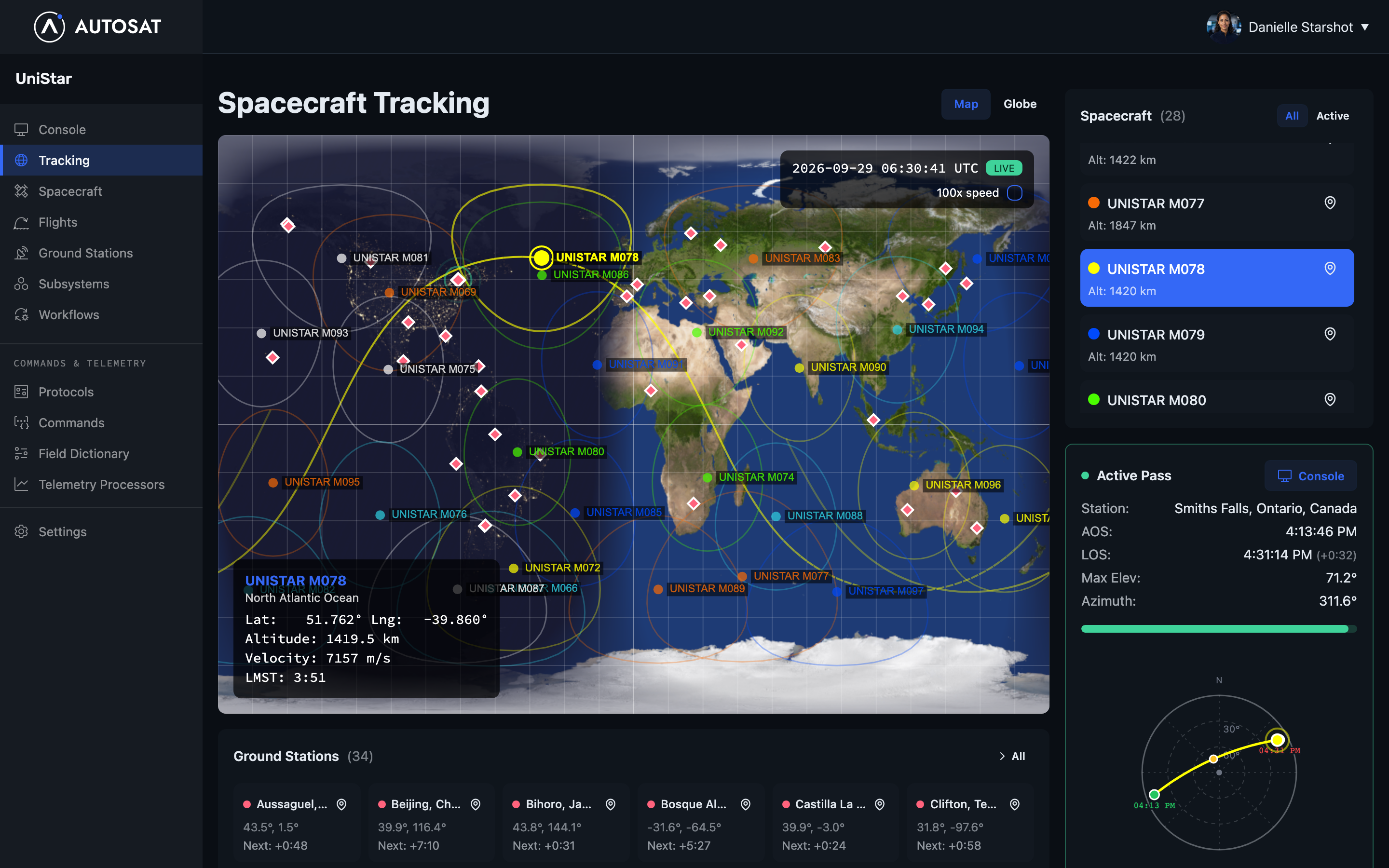
You can only reach a spacecraft through a ground station while it passes overhead. The Tracking page shows you when that will next happen, and helps you get ready for it.
Find your next pass
- Click Tracking in the sidebar.
- Click your spacecraft in the Spacecraft list.
The Next pass card shows which ground station the spacecraft passes over next, when, for how long, and how high it climbs above the horizon. Pass times are in your computer’s local time.
To see what’s coming up at one ground station instead, click the arrow next to it in the Ground stations list.
The map shows where the spacecraft is now and the path it’s following. To see where it will be later, select 100x speed under the clock, then click Go live to come back to the current time.
Get ready for a pass
Before the pass starts, check that the ground station’s agent is running. A green dot next to the station’s name means it’s connected. If the dot is red, commands you send during the pass won’t reach the spacecraft. See Install the agent.
When the pass starts, an Active pass card appears. Click Console on it to open the console with this spacecraft and ground station already chosen.
If you don’t see any passes
- The spacecraft shows No TLE data. AutoSat gets each spacecraft’s orbit from Space-Track using its Satcat ID. Check the Satcat ID on the Spacecraft page. A new spacecraft can take up to 12 hours to get its first orbit.
- The ground station has no latitude and longitude. AutoSat can’t work out passes without them. ANT61 Beacon ground stations never have passes, because you can reach the spacecraft at any time.
- The ground station’s settings rule them out. See below.
Choose which passes count
AutoSat works out every pass of each spacecraft over each of your ground stations for the next few days. It updates them when the spacecraft’s orbit changes or you change a ground station.
Two settings on each ground station decide which passes AutoSat keeps:
- Minimum elevation (degrees): how high above the horizon the spacecraft must be before your antenna can reach it. AutoSat uses 10° if you leave it blank. Set it to match your antenna and any hills or buildings around it.
- Minimum pass minutes: AutoSat ignores passes shorter than this. Use it to skip passes too short to be worth working.
To change them, click Ground stations in the sidebar, then click Edit next to the station.